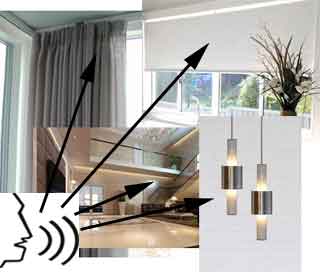
With ODSIF voice control, you can make various devices in your home act automatically. Via voice control, you can open and close curtains and raise and lower roller blinds. You can turn on lamps and LED strips, dim and increase the brightness, and turn on a desired light shade. Create your own voice scenarios, such as a cinema atmosphere, where a curtain closes and the lights are dimmed, or good night, where all the lights are turned off and all the curtains are closed. Or a scenario could be simulate presence, where random lights are turned on, dimmed, turned off, and curtains are closed and opened. This helps to make the home look lived in from the outside. Additional devices can be connected to the system, such as window openers, door openers, automatic wardrobe openers, and clothes rails.
Combine for a complete smarthome solution
You can combine voice control with our tablet/smartphone control, which allows you to control and set all devices via your smartphone, iPhone, or tablet. This gives you a state-of-the-art, comprehensive solution that is at the forefront of development. In addition, you can operate all devices via wireless switches in LK design. This gives you every option.
What does it take to get started?
You will need ODSIF's Smarthome box and voice control software, Google Smarthome Speaker and/or your smartphone and/or tablet – then you're in control! Next, you can choose the devices you want to control: curtain rails, roller blinds, lamps, LED strips, window openers, door openers, wardrobe openers, motorized clothes rails, etc. You can connect more devices at any time, and you can get everything you need from us. Click on the link above to see an overview of what you need to get started with voice control.
How to use the voice commands
When you want to turn the lights on and off, say "turn on lights" or "turn off lights." You can also name the different lamps so that you can say "turn on ceiling lamp" or "turn off ceiling lamp." For the curtains, say "open curtains" or "close curtains." Here, you can also name the curtains so that you can control them individually, such as "open curtains in bedroom." For windows, you can say "open window" or "close window." For doors, you can say "open door" or "close door." Of course, both windows and doors can also be named.